
Hi everyone❕❕ 👹🥋🦄⚡️🦖🦈🐯🐼🐺🦅🐍😺👦👶
Hope you’re very well❕ Follow these easy steps to download all your content in our Gumroad web:
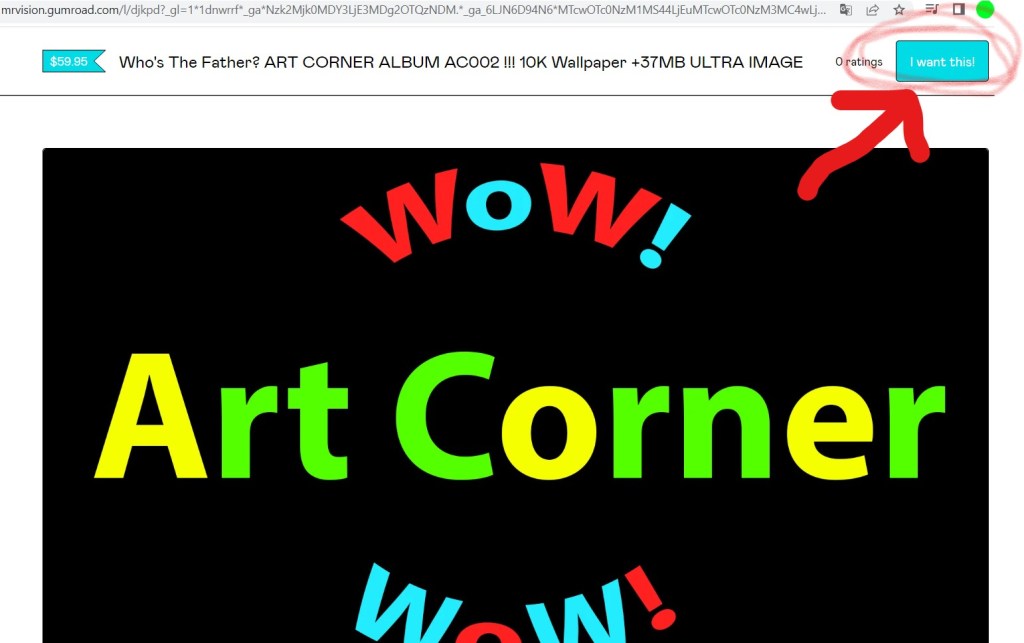
1. Click on your access link to your content (game, album, walkthrough, extra…) on gumroad;

2. Then go to the upper-right corner and press “I want this” (blue button);
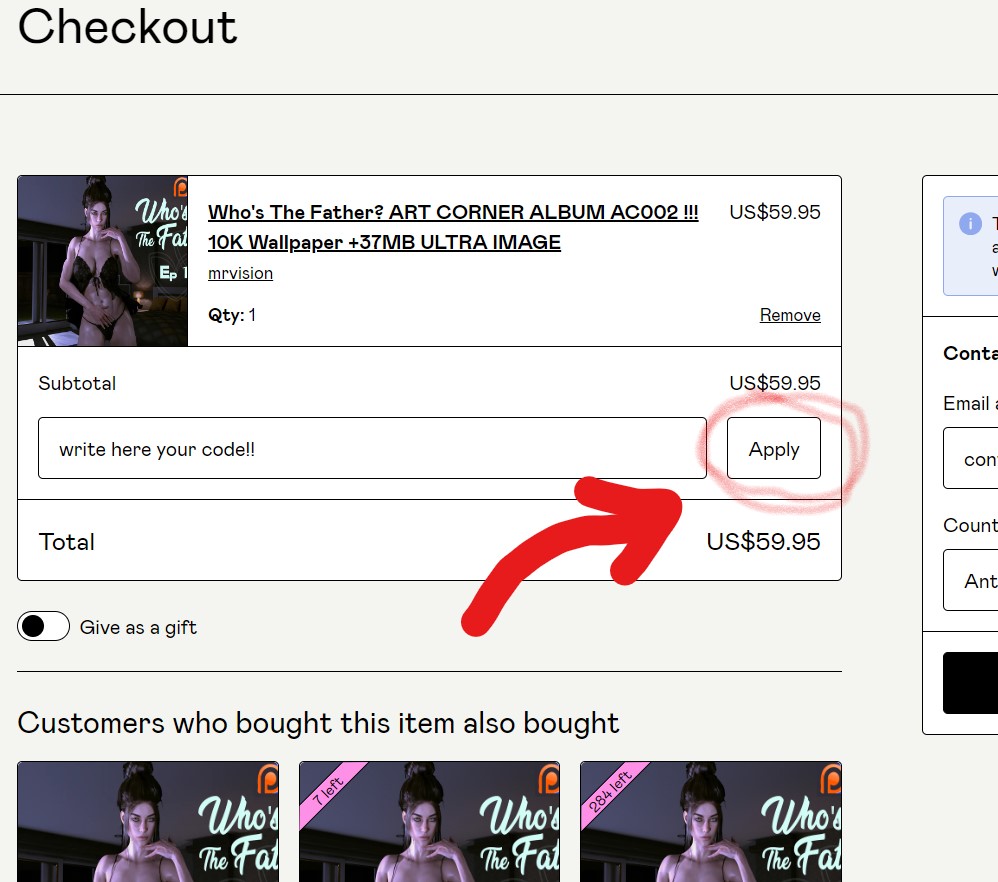
3. On the next screen (Checkout) type your discount code on the “Discount code” box;

4. Then press “Apply” button on the right side;
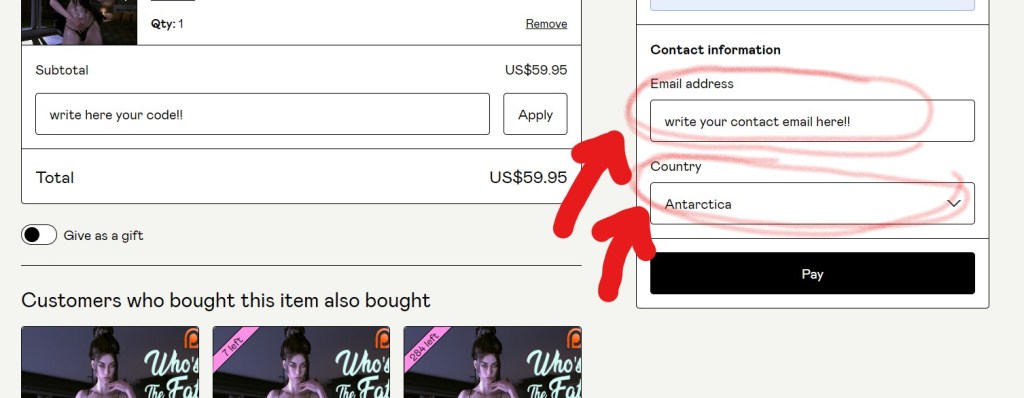
5. Then type there your email address and (eventually) your country;
6. Then press “0%” in “add a tip”:
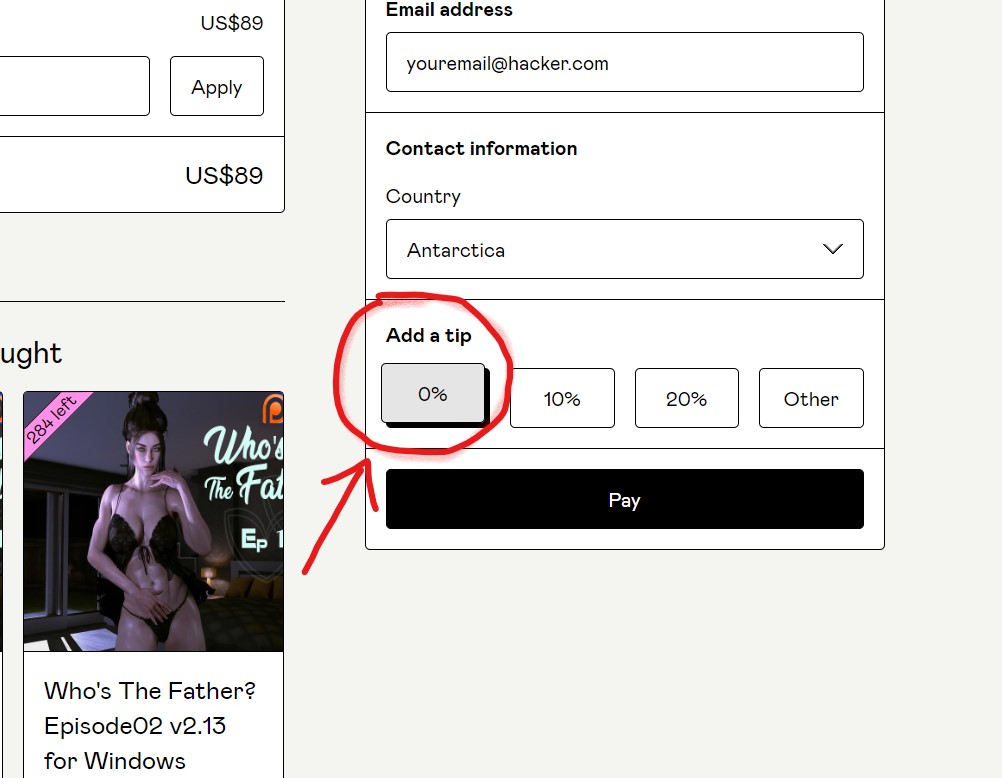
7. Then press “Pay” (or “Get” (depends on system)) (it is the black button below “email address” and “add a tip”);

8. You will pay ZERO ($0.00) because you are already a member. Finally on the next screen you just have to download your content❕

_______________________________________________________
More wonderful and fresh new posts are comming soon, so stay sharp❕❕❕
Thank you for all your kind support ❕ ⭐️
Enjoy 🙂 🎮
Cheers,
| TWITTER | DISCORD | YOUTUBE | GUMROAD | ITCH.IO | SUBSCRIBESTAR | INSTAGRAM | FACEBOOK | ________________________________________________________ _________________________________________________________
 mrvision.games